
When the power goes out, most home WiFi networks stop working because the modem, router, mesh system, fiber box, or network switch all need electricity. Even if a phone or laptop is still charged, the home internet connection can fail if the network equipment loses power.
Backup power can help keep WiFi running during an outage, but only if the internet provider’s local network is still working. If the provider’s equipment also loses power or the wider network goes down, a home UPS or portable power station may keep the router switched on but not restore internet access.
This guide explains how to keep WiFi running during a power outage, which devices need backup power, when to use a UPS or portable power station, and when mobile data may be a better fallback.
Quick Answer: How Do You Keep WiFi Running During a Power Outage?
To keep WiFi running during a power outage, provide backup power for the modem, router, and any required fiber ONT, mesh node, or network switch. A UPS can help during short outages, while a portable power station may be better for longer blackouts. If the internet provider’s network is also offline, mobile data or a hotspot may be the only practical backup.
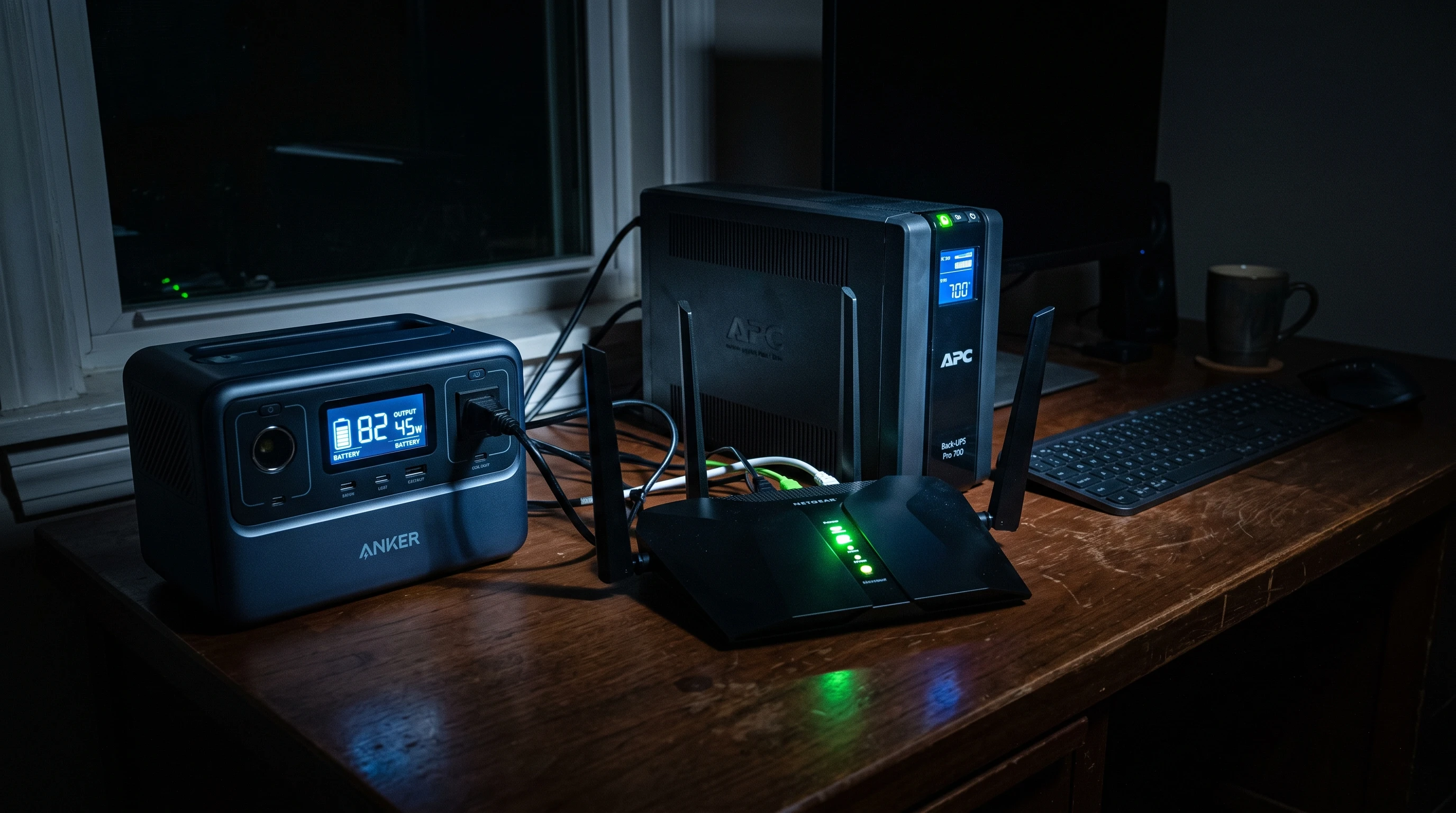
Why WiFi Stops Working During a Power Outage
WiFi isn’t just a wireless signal; it runs through several key electronics. At minimum, most homes have a modem from the internet provider and a router or a modem-router combo. Fiber users often have an extra box, the Optical Network Terminal (ONT). Some setups use mesh WiFi, which includes several plug-in devices, or even a network switch for more wired options. If any device in this chain loses power, your entire network shuts down. A charged phone or laptop can’t connect to the internet if the router or modem is off.
Check Which Devices Need Power
Knowing your home’s network setup helps you pick the right backup power option. Common configurations include:
- Modem and Router: Most cable users have two separate boxes that both need power.
- Modem-router Combo: Some providers offer a single device that handles both tasks. Only one device needs power—but make sure you know which you have.
- Fiber ONT and Router: Fiber homes often have both a box from the wall (ONT) plus a router; both need electricity.
- Mesh WiFi System: Mesh networks have a main node (usually wired to the modem or ONT) and one or more satellites. Only the main node needs backup if you just want WiFi close to the power, but for house-wide coverage, back up all the mesh devices.
- Network Switches: Larger or smarter homes may also have powered network switches.
Check the power adapter label for wattage and voltage before choosing a UPS or portable power station. Leaving out necessary devices such as the fiber ONT or modem will leave WiFi unusable, even if the router is on and powered.
Best Ways to Keep WiFi Running
There are three main backup options for keeping WiFi active during a blackout:
- UPS (Uninterruptible Power Supply): Great for short outages. A UPS is a battery backup device designed to provide short-term power when the grid goes down.
It switches on instantly when the power fails, keeping a modem and router running for a limited time, depending on the UPS size, battery condition, and connected load. This is ideal for your desk setup and helps avoid losing work on desktop PCs. - Portable Power Station: These battery packs can run devices much longer than a UPS. They’re rechargeable, often portable, and many include AC outlets, USB ports, built-in safety features, and pure sine wave inverters. With a larger battery, a portable power station may run low-watt network equipment for longer than a basic UPS, depending on capacity and total power draw. You’ll need to physically plug in your network gear if an outage happens.
- Mobile Hotspot/Phone Tethering: If the entire area’s internet is lost (for example, if the ISP’s equipment isn’t powered), using your cell phone’s hotspot or a dedicated mobile hotspot keeps you online. This depends on your data plan and cell signal during the emergency.
UPS vs Portable Power Station for WiFi
| Option | Best for | Main Benefit | Considerations |
|---|---|---|---|
| UPS | Short outages | Automatic switch, instant backup | Short runtime, small battery |
| Portable power station | Longer outages | Bigger battery, flexible use | Manual switchover needed, higher cost |
| Mobile hotspot or phone data | ISP network outage | Works if home internet down, independent | Needs data plan, depends on cell signal |
How Long Can Backup Power Run WiFi?
How long your WiFi can last depends on the battery’s watt-hour rating, the wattage needed by your devices, and efficiency. For example, if the router uses 10 watts and the modem uses another 10 watts, the setup would draw about 20 watts while both devices are running. UPS devices and batteries in cold temperatures may not last their rated duration. Adding more devices drains the battery faster, and running batteries to empty repeatedly will shorten their long-term lifespan. Each home setup varies, so always check your devices’ wattage and the battery’s watt-hour capacity—manufacturer numbers are only estimates. Don’t assume exact times.
Extra Tips for Success
- Test your backup system: Once you’ve set up a UPS or power station, try a simulated power outage to see if everything runs smoothly and for how long.
- Label your power cables: Use colored tape or stickers to match each plug with its device. This makes switching power in a dark outage much faster.
- Know your mobile plan’s limits: Some providers throttle speeds or limit hotspot usage after a certain amount of data during emergencies. Have a backup plan to avoid surprises.
- Store instructions: Keep a copy of your power station or UPS instructions in an easy-to-find spot for family or housemates.
- Keep batteries topped up: Charge power stations and UPS units regularly, especially if outages are common in your area. Most batteries hold a charge for weeks, but self-discharge over time.
- Check warranty and cycle life: Batteries have limited charge/discharge cycles; track usage and consider replacing older UPS units as their max runtime fades with age.
Safety Tips
- Make sure not to overload backup outlets—only power the most essential network devices to keep things safe.
- Avoid plugging several power strips or extension cords into backup devices, since this can lead to overloading and hazards.
- Place any UPS or power station in a dry area away from water or moisture, and allow for ventilation.
- Always use manufacturer-supplied cables and avoid homemade adapters or hacks that could lead to fire risk.
- Don’t modify or take apart power equipment. Just follow the product instructions closely.
- Never run gasoline, diesel, or propane generators inside the house, garage, or near vents—only outdoors where fumes can’t build up.
Common Mistakes to Avoid
- Thinking just the router needs backup and skipping the modem or ONT—your network won’t work unless all devices have power.
- Assuming WiFi can stay active in all outages, when sometimes the provider’s larger network may be totally offline too.
- Expecting small UPS units to last hours when they may only power network devices for 15 to 60 minutes.
- Trying to run every device on backup power instead of just essential internet gear—this overloads and drains the battery too fast.
- Forgetting about mobile data as a useful backup option for short online needs during widespread outages.
Alternative Backup Solutions
A UPS or portable power station is usually the simplest backup option for home WiFi, but there are a few other possibilities depending on the setup.
- Power banks for small devices: Some high-capacity power banks can run USB-powered routers, mobile hotspots, phones, or small networking devices if the equipment supports USB power.
- Solar charging: Some portable power stations can be recharged with solar panels, but charging speed depends on sunlight, panel size, weather, cable setup, and the power station’s input limits.
- Mobile hotspot: A phone hotspot or dedicated mobile router can be useful if the home internet provider is offline, but performance depends on signal strength, network congestion, and data limits.
- Car inverter: A properly rated car inverter may provide short-term power for small devices, but it must be used carefully and according to the manufacturer’s guidance. Never run a vehicle in a garage or enclosed space because of carbon monoxide risk.
- Longer cables: In some setups, a longer power cable may help keep the modem or router near the wall connection while placing the backup battery somewhere dry, ventilated, and away from foot traffic.
Related Guides
- How to Protect Electronics During a Power Outage
- What to Unplug During a Power Outage
- Portable Power Station vs UPS
- Portable Power Station Safety Guide
- Best Portable Power Stations for Storm Preparedness
- Best Solar Generators for Home Backup
Frequently Asked Questions
Here are some usual questions about keeping WiFi running during an outage:
Can WiFi work during a power outage?
WiFi can stay on if the modem, router, and any fiber or mesh equipment are powered by backup batteries. If the provider’s system is also down, only local network features will work unless you use a hotspot or mobile data.
What do I need to keep WiFi running during a blackout?
You need backup power for all active equipment: modem, router, and any fiber ONT or mesh node that’s required by your setup. UPS works for short outages, while a portable power station is better for longer blackouts. For area-wide outages, a mobile data plan is handy as a fallback.
Is a UPS enough for a router and modem?
A UPS can be enough for a router and modem during short outages, but runtime depends on the UPS capacity, battery age, device wattage and whether any other equipment is connected. It is best to check the total power draw before relying on a UPS for longer outages.
Can a portable power station run WiFi?
Yes, as long as the wattage is enough for everything you want to run. A portable power station can run WiFi equipment if its output rating and battery capacity match the devices being powered. Runtime depends on the modem, router, fiber box, mesh devices, inverter efficiency, and the power station’s usable capacity.
Why does WiFi not work even with backup power?
If your internet provider’s larger network or equipment fails, your WiFi can stay “on” but won’t reach the internet. Or if you miss powering one piece of key equipment in the chain, the network won’t function.
Can I use mobile data instead of home WiFi?
Yes. If the internet provider is down or you lack backup power, use your phone’s mobile hotspot, USB tethering, or a special cellular hotspot for basic online needs. Cellular networks might get crowded during emergencies, so expect some slowdown.
How long can a router run on backup power?
A router may run for many hours on a suitable backup battery because it usually has a low power draw. However, real runtime depends on battery capacity, device wattage, inverter losses, battery condition, and any other connected devices. Always include the modem, fiber ONT, mesh node, or network switch when estimating runtime, because WiFi may not work if only the router has power.
Bottom Line
Keeping WiFi running during a power outage usually means powering every required device in the internet chain, including the modem, router, fiber ONT, mesh node, or network switch. If one essential device loses power, the connection may fail. A UPS can help with short outages because it switches over automatically and provides short-term backup power. A portable power station may be better for longer blackouts, but it usually requires manual setup and careful load management. Backup power does not guarantee internet access if the provider’s local network is also offline. For wider outages, mobile data or a hotspot can be a useful fallback, depending on signal strength, data limits, and network conditions.