
Electronic devices can be vulnerable when electricity cuts out and when power comes back on. The return of power may sometimes involve voltage fluctuations or a surge, which can damage TVs, computers, routers, chargers, gaming consoles, smart devices, and home office equipment.
Knowing how to protect electronics during a power outage can reduce the risk of damage and make it easier to reconnect devices safely once electricity returns. The goal is simple: unplug sensitive equipment, use the right protection, avoid overloading circuits, and check for warning signs before plugging everything back in.
This guide explains which electronics to unplug first, how surge protectors and UPS devices help, what to do when power returns, and when to contact a qualified electrician.
Quick Answer: How Do You Protect Electronics During a Power Outage?
To protect electronics during a power outage, unplug sensitive devices such as computers, TVs, gaming consoles, routers, chargers, and smart home equipment. Use quality surge protectors where appropriate, consider a UPS for computers or routers, keep one light switched on so you know when power returns, and reconnect devices gradually after electricity is stable. If you notice sparks, burning smells, buzzing outlets, water damage, or repeated breaker trips, stop and contact a qualified professional.
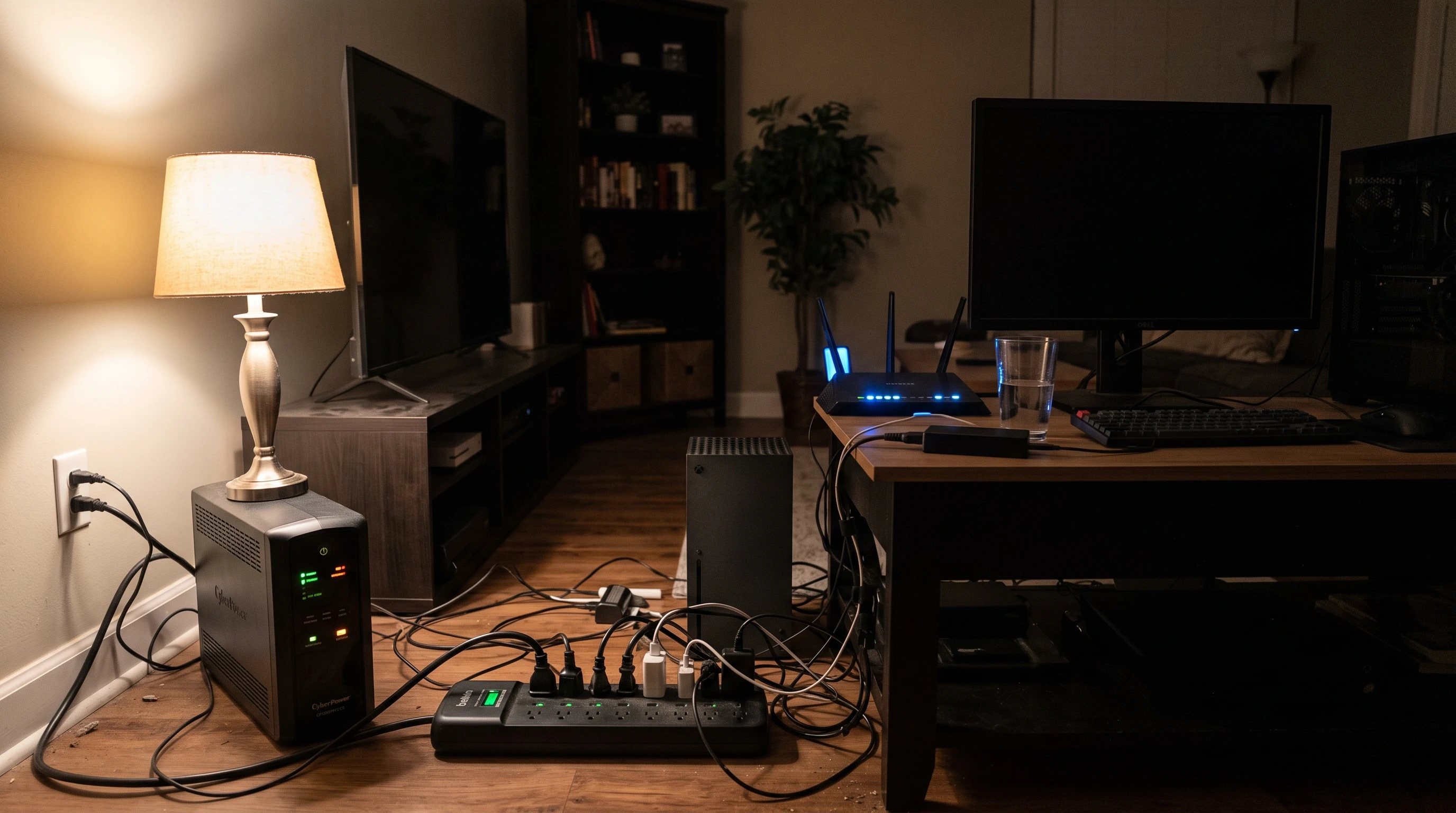
Why Outages Can Damage Electronics
During a blackout, the biggest risk isn’t when the power cuts out but when it flips back on. Electricity coming back can bring higher or fluctuating voltage; that’s a power surge that can damage the internal parts of devices, especially anything with a circuit board. Computers, smart TVs, gaming systems, routers, and chargers all rely on stable voltage. When these devices get hit with even a brief surge, they can short out or overheat. So, power outage surge protection is key for electronics.
Electronics to Unplug First
Some devices are especially sensitive to unstable voltage. When lights flicker or go out completely, these are usually the first electronics to unplug:
- TVs and Home Theater Gear: Modern flatscreen TVs, soundbars, and receivers are expensive and not built for sudden voltage spikes.
- Computers, Monitors, and Laptops: All those motherboards, hard drives, and important data can be ruined by a surprise surge.
- Gaming Consoles: Game systems rely on sensitive internal components and memory that surges can quickly destroy.
- Routers and Modems: Home networking needs a reset after surges and is easily knocked offline.
- Smart Speakers (Alexa, Google Home): Built for always-on use, but the circuits aren’t made for surges.
- Chargers and Battery Packs: Plugged-in chargers or battery units can overheat or short circuit from unstable voltage.
- Printers and Scanners: Sensitive controllers or motors are at risk in a surge event.
- Small Appliances with Digital Controls: Coffee makers, microwaves, or washing machines with touch screens can quit working fast with voltage swings.
Quickly unplugging these items during a blackout helps reduce the risk of expensive repairs and adds peace of mind.
Surge Protectors, Power Strips, and UPS Devices
Many people confuse surge protectors, power strips, and UPS systems. Here’s what each one does, and how they fit into power outage surge protection:
- Power strip: This just adds outlets, but that’s it – it doesn’t do anything to stop surges. Plugging sensitive devices into an ordinary power strip may leave them exposed.
- Surge protector: It might look like a basic power strip, but it’s made with components that absorb or block dangerous voltage. To check if yours offers real protection, look for a joule rating (higher is better) and a light that says when surge protection is active. Extra tip: models recommended by major safety groups, like those listed by the FTC, are tested for home safety.
- Uninterruptible Power Supply (UPS): This device contains a battery. It keeps critical gear (like computers or modems) up and running for a few minutes after power is cut, giving you time to save data or shut down. A UPS also acts as a surge protector, and gives a safety window to keep working during outages. UPS units are a common choice for home offices and anyone who can’t risk losing data during a blackout.
Only a surge protector or a UPS offers actual protection for sensitive electronics — a basic power strip just adds outlets.
What to Do When Power Goes Out
If the power goes out, these steps can help protect electronics and reduce safety risks:
- Unplug sensitive electronics and anything with a circuit board or display right away.
- Keep one lamp or light on, so I know exactly when the power comes back.
- Never overload extension cords, and don’t hook up multiple power strips in a daisy chain. That causes a fire risk.
- Keep fridges and freezers closed unless absolutely needed. Major kitchen appliances usually can stay plugged in, but I don’t switch them off or on until power is steady.
- If using backup batteries or portable power stations, follow the manufacturer’s guidance and only connect devices that the backup power unit is rated to support.
What to Do When Power Comes Back On
The main risk comes in those first moments back. It is usually wise to wait a few minutes before plugging electronics back in, especially if the power has been flickering or returning inconsistently. Here are my steps:
- Check for odd smells (burnt plastic), buzzing, sparks, or smoke around outlets. These can signal a surge or hidden damage.
- Take a look at the circuit breakers. If one is tripped, reset it only after checking for obvious problems.
- If there’s been a storm, I check for any water leaks or puddles around outlets or electronics before reconnecting gear.
- Plug in vital devices one at a time. Lights first, then routers and computers, TVs and smaller gear last.
- If anything seems odd, doesn’t turn on, smells, or buzzes, contact a qualified electrician before using the outlet, device, or circuit again.
Bringing things online slowly makes it easier to catch a problem before it gets serious or makes damage any worse.
Backup Power Options
Backup power can help keep selected electronics running during an outage, but each option has limits. The right choice depends on what you need to power, how long the outage lasts, and whether the equipment is safe for indoor or outdoor use.
- UPS: Useful for computers, routers, modems, and home office equipment. Runtime depends on the UPS battery size and the connected load.
- Portable power station: Can run phones, tablets, routers, laptops, and some small appliances, depending on capacity and output rating.
- Solar generator: A portable power station with solar panels can recharge from sunlight, but performance depends on weather, daylight, panel size, and system design.
- Home battery system: Can support selected circuits or larger parts of a home, but usually requires professional planning and installation.
- Fuel-powered generator: Can handle larger loads, but must only be used outdoors and away from windows, doors, garages, and enclosed spaces because of carbon monoxide risk.
For medical equipment, essential safety devices, or critical appliances, follow manufacturer guidance and speak with a qualified professional before relying on any backup power setup.
Common Mistakes to Avoid
- Leaving electronics plugged in during storms or outages, making damage more likely if there’s a sudden surge.
- Assuming any old power strip protects against surges. Only ones labeled as surge protectors offer protection.
- Plugging everything back in at once after power returns. That’s a fast way to overload circuits or trip a breaker.
- Ignoring signs like burning smells, melted plastic, or buzzing noise from outlets. These can all point to dangerous wiring issues or damage.
- Using cords or surge protectors that appear damaged or feel hot—throw them out and get safe replacements.
- Running gasoline or propane generators indoors, in any closed garage, or near open windows. That’s a lethal risk from carbon monoxide.
Consistent safety habits can reduce the risk of device damage, electrical problems, and unsafe conditions during a blackout.
Related Guides
- What to Unplug During a Power Outage
- Portable Power Station Safety Guide
- Portable Power Station vs UPS
- Best Solar Generators for Home Backup
- Best Home Battery Storage Systems
Frequently Asked Questions
Should I unplug electronics during a power outage?
Yes, it is usually wise to unplug sensitive electronics during a power outage. Computers, TVs, gaming consoles, routers, chargers, and smart devices can be vulnerable to voltage spikes when electricity returns.
Can a power outage damage a TV or computer?
A power outage itself may not damage a TV or computer, but a surge or voltage fluctuation when power returns can sometimes harm sensitive internal components. Unplugging devices and using appropriate surge protection can reduce this risk.
Do surge protectors help when power comes back on?
Surge protectors can help reduce the risk from voltage spikes, but they do not guarantee complete protection against lightning, severe faults, or repeated surges. For the lowest risk during an outage, unplug sensitive electronics from the wall.
Is a UPS worth it for a router or computer?
A UPS can be useful for routers, computers, and home office equipment because it provides short-term battery backup. It may give enough time to save work, shut down safely, or keep internet equipment running briefly. Runtime depends on the UPS size and connected load.
How long should I wait before plugging electronics back in?
It is usually sensible to wait a few minutes after power returns before plugging electronics back in. If lights are flickering, breakers trip, outlets smell burnt, or power keeps switching on and off, wait longer and contact a qualified electrician if needed.
Conclusion
Protecting electronics during a power outage is mostly about reducing surge risk and reconnecting devices safely. Unplug sensitive electronics when the power goes out, use proper surge protection where appropriate, and consider a UPS for computers, routers, and home office equipment.
When electricity returns, wait a few minutes, check for warning signs, and reconnect devices gradually instead of plugging everything back in at once. If you notice sparks, burning smells, buzzing outlets, water damage, hot cords, or repeated breaker trips, stop using the affected outlet or device and contact a qualified electrician.
A few careful steps can help protect TVs, computers, routers, chargers, and smart home devices from avoidable damage during outages.