
A portable power station can be useful during blackouts, storm season, camping trips, or remote work situations, but it only helps if it is charged, stored correctly, and safe to use.
Basic maintenance can help keep the battery ready, reduce avoidable problems, and make it easier to rely on the unit during an outage. The most important habits are simple: check the charge level, inspect the cables and ports, store the unit in a safe place, use approved chargers, and test it with the devices you actually plan to power.
This checklist explains how to maintain a portable power station, what to check before outage season, how to store it safely, and which warning signs should not be ignored.
Quick Answer
A portable power station maintenance checklist should include checking the battery level, inspecting cables and ports, testing the unit with essential devices, storing it in a cool and dry place, using the approved charger, avoiding heat and moisture, and following the manufacturer’s storage and charging guidance.
Some newer models may also support app or firmware updates. If so, check the manufacturer’s instructions before updating. Maintenance needs vary by model, battery chemistry, and usage, so the manual should always be the main guide.
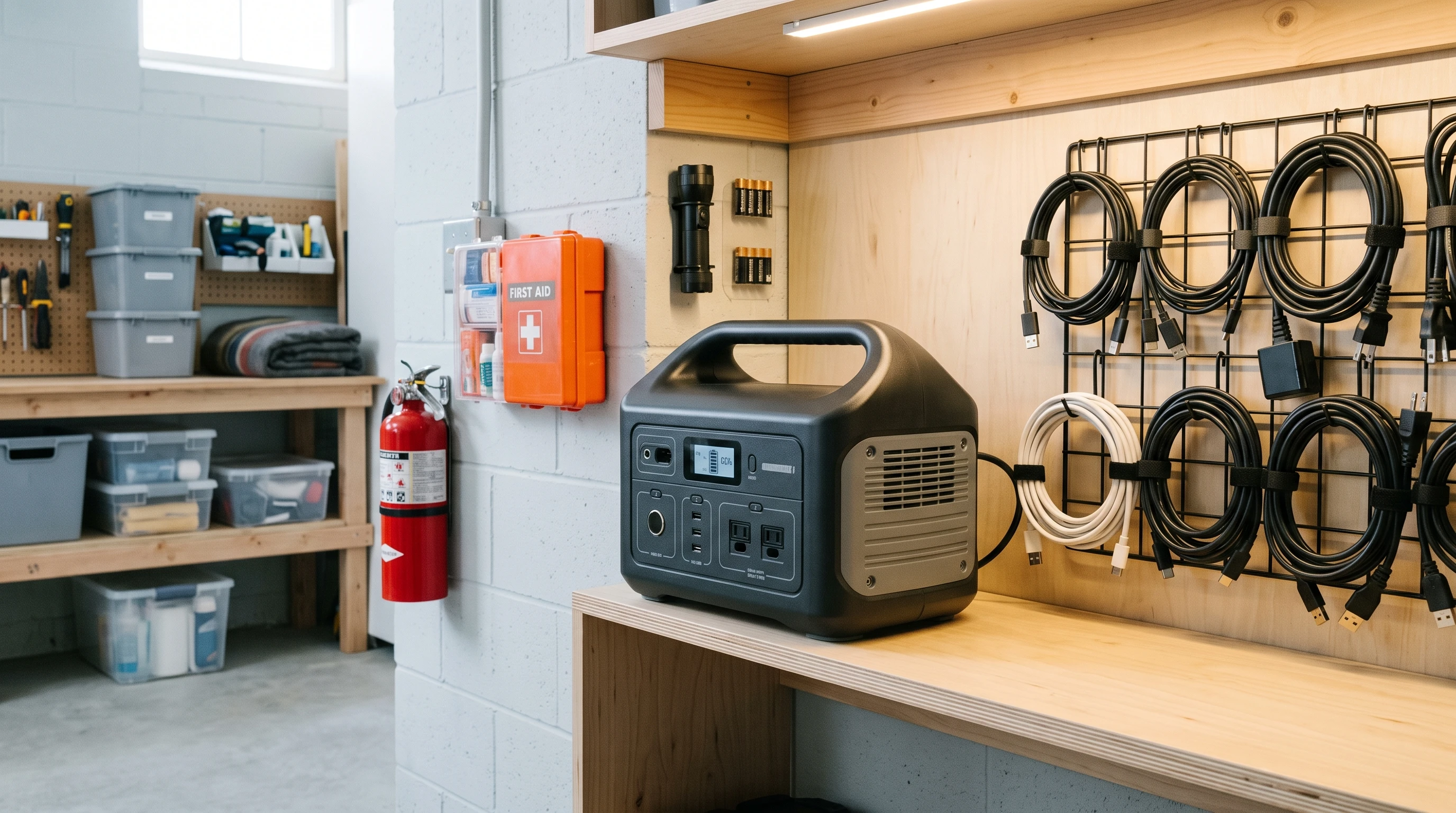
Monthly Portable Power Station Checklist
It is useful to check a portable power station regularly, even if it has not been used for a while. This habit can help spot problems early and keep the backup setup more reliable. Here is a simple monthly checklist:
- Check battery level. Power stations slowly lose charge, even when switched off. Keep the battery within the manufacturer’s recommended charge range to help the battery last longer.
- Inspect cables and charger. Look for fraying, bent pins, or exposed wires. Replace damaged parts right away; don’t try to repair bad cables yourself.
- Check for warning lights or error messages. Any blinking or solid error light, plus messages on a display or app, may indicate a problem. Address these as soon as you see them.
- Look over ports for dirt or damage. Dust builds up in USB, AC, or DC ports. Clean gently with a dry brush or compressed air, taking care not to push debris further inside.
- Make sure the unit is stored safely. Store it away from moisture and heat, in a spot where it won’t get knocked over or crushed by other items.
- Recharge if necessary. If the charge level drops below the recommended minimum, top it up. Different models have different needs, so check your manual.
A regular check can help keep the power station ready and reduce the chance of unwanted surprises during an outage.
Before Outage or Storm Season
Before storm season or predicted outages, take a few extra steps to make sure the power station is ready for use. Extra preparation can reduce stress during an outage, especially if you rely on internet access, home office equipment, or other important devices. Here are useful checks before storm season:
- Charge the power station as recommended. Some batteries do better sitting at 80% charge; others are fine full. Check the manufacturer’s manual and prepare the battery accordingly.
- Test with must-have devices. Plug in essentials such as a router, modem, phone charger, LED light, or laptop to make sure they all work correctly.
- Check important equipment carefully. For medical devices or life-support equipment, do not rely on a portable power station unless the device manufacturer, healthcare provider, or a qualified professional confirms that the setup is suitable.
- Verify actual runtime. Plug in the devices you would use during a blackout and note how long the power station keeps them running. Adjust your backup plan if the real-world runtime is lower than expected.
- Label and bundle all needed cables. Keep approved cables, adapters, and accessories with the power station so they are easy to find during an outage.
Planning ahead before storm season can reduce rushed testing when bad weather arrives. It takes a bit of effort up front but makes a big difference when storms actually arrive and the power flickers out.
Storage Tips for Battery Health
Proper storage keeps your portable power station’s battery healthy and protected. Here are safer storage habits for battery health :
- Store in a cool, dry, ventilated space. Direct sunlight, damp basements, and heaters can all be rough on lithium-ion batteries. Keeping the power station in a stable room temperature location is best for longevity.
- No extreme temperatures. Hot garages and freezing outdoor sheds will sap battery capacity and might even cause damage over time. Indoor storage in a stable, dry location is usually better than a hot garage, damp basement, or outdoor shed.
- Avoid leaving the battery drained. Never let it sit empty for weeks. Most power stations should stay between 50% and 80% charged if you’re putting them away for more than a month. Check your manual for the sweet spot for your device’s battery chemistry.
- Stick to the manufacturer’s storage charge guidance. Battery types (such as LiFePO4 or lithium-ion) have different preferences. Check or ask the maker for what’s best if unsure.
Keep approved cables, adapters, and instructions together so they are easy to find during an outage.
Charging Habits That Matter
Charging correctly gives your power station’s battery longer life and reduces risks. Follow model-specific charging guidance to reduce the risk of battery damage, charging faults, or unsafe conditions. These charging habits can help reduce avoidable problems:
- Always use the approved charger or cable. Some third-party cables or blocks might push the wrong voltage. Only use what the device recommends in the manual.
- Do not cover the power station or charger while charging, because trapped heat can increase risk and reduce battery life.
- Charge in a dry, cool environment. Keep away from bathrooms, kitchens, or spots with high humidity. Charge the unit on a stable, well-ventilated surface away from heat, moisture, and flammable materials.
- Swap out damaged cables without delay. Frayed or exposed wiring isn’t just a hazard to the device; it’s a potential fire risk.
- Check if pass-through charging is allowed. Not all power stations can recharge while powering other devices. Check the manual before using pass-through charging, because unsupported use may cause faults or increase battery wear.
For more about safe charging practices, check out: Can You Leave a Portable Power Station Plugged In?
How to Test Your Power Station
Testing your power station in advance is key to making sure it’s up to the challenge when an outage hits. Here is a simple testing process:
- Plug in essential devices one by one. Start with basic devices—router, modem, phone—then test more demanding gear like lights or monitors.
- Watch total watt use. It helps to know how much power the setup uses. Compare this with the power station’s rated output to avoid overloading the unit.
- Run a real-world internet test. Check how long the power station can keep the router and modem running, since internet access is often important during an outage.
- Test home office setups. Test laptops, monitors, or other work-from-home essentials before relying on them during an outage.
- Simulate an outage for an hour. Run the setup as it would be used during a blackout and watch for warning lights, overheating, or unexpected behavior. This practice run keeps surprises to a minimum when things get real.
To jump into more runtime tips, check out: Portable Power Station Runtime Explained
Safety Checks to Never Ignore
Battery safety means treating your power station with respect and attention. Here are warning signs that should not be ignored:
- More heat than usual during charging or use
- Swelling in the casing or battery compartment
- Unusual smells, especially anything sharp or chemical
- Cracked or burn marks around the ports
- Loose sockets, or if plugs wiggle
- New error messages on the display or mobile app
- Sparks when connecting or disconnecting a device
- Evidence that the device got wet, even briefly
If any of these signs appear, disconnect the unit if it is safe to do so and contact the manufacturer or a qualified service professional. Battery warning signs should be taken seriously, especially with lithium-based systems.
Maintenance Mistakes to Avoid
Some missteps can shorten a power station’s battery life or make it less reliable when you’re counting on it. Here are common maintenance mistakes to avoid:
- Leaving the battery completely empty for long periods
- Storing the station where it could get hot or freeze
- Using unapproved chargers and accessories
- Skipping the manual’s specific advice
- Assuming it works just like a UPS (many don’t by design)
- Neglecting test runs ahead of storm season
-
Relying on it for medical devices, life-support equipment, or sensitive equipment without checking manufacturer guidance and speaking with a qualified professional.
Avoiding these mistakes can help keep the unit safer, more reliable, and better prepared for outages.
Related Guides
- Can You Leave a Portable Power Station Plugged In?
- Portable Power Station Runtime Explained
- How Long Do Portable Power Stations Hold Charge?
- Portable Power Station Safety Guide
- What Size Portable Power Station Do You Need for a Home Office?
- Portable Power Station vs UPS
- Best Portable Power Stations for Storm Preparedness
Frequently Asked Questions
How often should you check a portable power station?
Many users check a stored portable power station monthly, but the best schedule depends on the manufacturer’s guidance, battery chemistry, and how often the unit is used. If you live where outages are common, double-check right before heavy weather or seasonal risks.
How do you maintain a portable power station battery?
Stick to the storage and charging habits recommended in your manual, keep it within the correct charge window, avoid deep discharges and excess heat, inspect for cable or port damage, and always use the right cable for charging.
Should a portable power station be stored fully charged?
Some models prefer an 80% charge, while others store best at full. Your manual should confirm what’s best—storing outside the recommended range may affect long-term performance.
Can you leave a portable power station unused for months?
You can, as long as it’s at the right charge level and stored in a safe place—not hot, not freezing. Even if kept in storage, you should check and top up the charge every so often to prevent deep discharge.
How often should you test a portable power station?
Testing with your essential devices before outage or storm season—and after any long periods of storage—is wise. For medical devices or critical equipment, follow the device manufacturer’s guidance and speak with a qualified professional before relying on a portable power station.
What are signs a portable power station may be unsafe?
Excess heat, swelling, leaks, strange smells, any cracking or scorching at the ports, flickering output, sparks, or error codes should be taken seriously. Stop using the device and contact support.
Can you use any charger with a portable power station?
Only use chargers and cables listed as compatible in the manual. Off-brand products can cause damage or put safety at risk, even if they seem to work at first.
Do portable power stations need firmware updates?
Some newer models accept app or firmware updates to fix bugs or introduce features. If your model supports updates, follow the manufacturer’s instructions and avoid interrupting the update process.
Bottom Line
Keeping a portable power station ready for outages mostly comes down to regular charge checks, safe storage, cable and port inspections, approved chargers, and occasional real-world testing.
Because every model is different, the manufacturer’s manual should guide charging, storage, pass-through use, app updates, and long-term maintenance. Store the unit in a cool, dry, ventilated place, avoid damaged cables, keep essential accessories nearby, and test your setup before outage season.
A portable power station is more useful when it has been checked before an emergency, not during one.