
Portable power station overload happens when connected devices try to draw more power than the unit can safely provide. This can lead to an overload warning, automatic shutdown, or the unit refusing to power connected devices. Overload can happen because of too many devices, high-wattage appliances, startup surge, damaged cables, or using equipment above the inverter’s rated output. Most portable power stations include overload protection, but repeated warnings should not be ignored.
This guide explains what portable power station overload means, what causes it, what to do when it happens, and how to reduce the risk of overload during outages, camping, or backup power use.
Quick Answer: Portable Power Station Overload
A portable power station overload usually means the connected devices are trying to draw more watts than the power station is rated to provide. This may happen with high-wattage appliances, too many devices at once, or appliances with high startup surge.
If overload happens, unplug connected devices, check the display or error message, let the unit cool if it feels hot, compare device wattage with the rated output, and restart only according to the manufacturer’s manual.
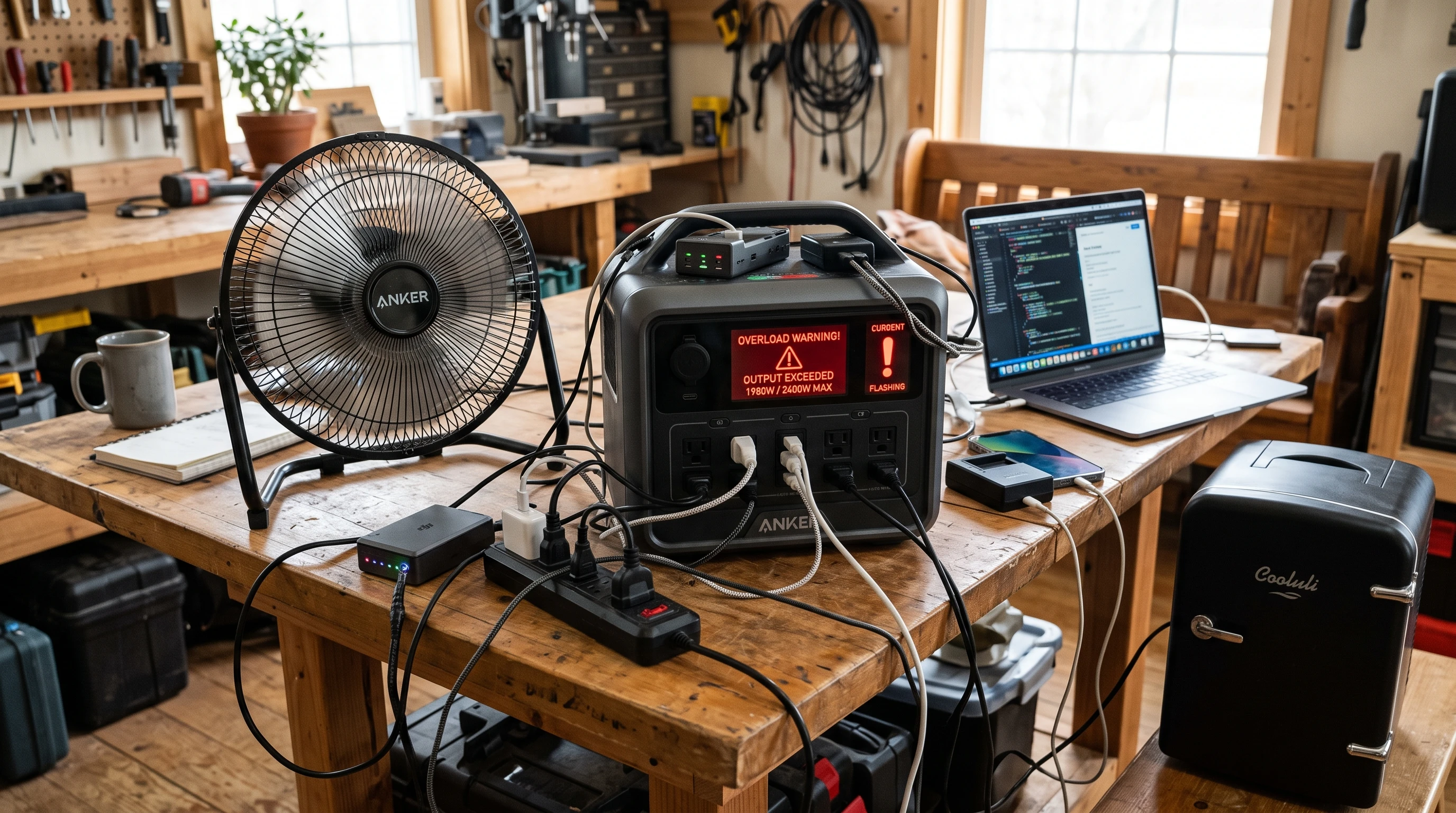
What Does Overload Mean?
Every portable power station is designed with a maximum continuous power output, measured in watts (W). This rating shows how much power the unit can supply at one time. If the combined power draw from connected devices exceeds this limit, the unit may shut off, display an overload warning, or refuse to supply power. This protection helps reduce the risk of overheating, shutdowns, or internal damage. If an overload warning appears, follow the manufacturer’s instructions before restarting the unit.
Continuous Watts vs Surge Watts
Most power stations list two numbers: continuous watts and surge watts. Continuous watts refer to the maximum load a power station can safely supply over time. Surge watts or peak watts are the higher burst of power the station can provide for a few seconds. Many appliances need this extra power for just a moment when starting up. For example, refrigerators, small pumps, or power tools often require a higher burst of power during startup, then quickly settle to a lower running wattage.
For a thorough breakdown of how wattage works, check out Portable Power Station Wattage Explained. Having both numbers on hand helps you stay within your power station’s safety range.
Common Causes of Overload
Power station overload can crop up in different ways. Here are some of the most common causes:
- Too many devices connected: Plugging multiple devices in at the same time can quickly add up to go over the output limit.
- High-wattage appliances: Appliances such as microwaves, coffee makers, or hair dryers can use a lot of power, and using them together or even alone can trigger overload if the power station isn’t rated for them.
- Startup surge: Many appliances need a burst of energy right when they start, like refrigerators or pumps. Even if their running power is low, that brief spike can set off the overload protection.
- Damaged or low-quality cables: Damaged, loose, or low-quality cables can create unsafe connections, heat buildup, or power interruptions.
- Mixing up watts and watt-hours: Watts measure the rate of power at a specific moment, while watt-hours show total energy delivered over time. Using devices based only on watt-hour ratings can result in overloads if continuous wattage limits are not considered.
- Appliances above inverter rating: Every inverter has a rated output limit. If a device exceeds that limit, the power station may shut down even if the battery still has charge.
What to Do If It Shows Overload
If your portable power station shows an overload or shuts down unexpectedly:
- Unplug all connected devices right away.
- Check the battery level and display for any error messages.
- If the power station feels hot, allow it to cool off before restarting.
- Plug in just one small, low-wattage device to test if the unit regains power normally.
- Closely check the wattage of each device you want to reconnect and make sure the total use is below the power station’s rated output.
- If the unit keeps showing overload warnings or will not turn back on, stop using it and contact the manufacturer or an authorized service center.
What Not to Do
- Do not keep restarting the power station with the same connected devices.
- Do not exceed the output rating.
- Do not block the unit’s vents.
- Do not use damaged, frayed, or worn power cables.
- Do not open or try to repair the power station yourself.
- Stop using it if you notice swelling, smoke, sparks, leaking, strong smells, or unusual heat.
How to Avoid Overload
Overload can often be avoided with basic wattage planning and careful device selection. Here’s how to keep your power station safe and ready:
- Check the wattage on everything you intend to run. Keep a simple list of the devices you use most often and their approximate wattage.
- Always add up the running wattages for all connected devices and stay under your station’s continuous rating. Leave some margin, especially for any item with a startup surge.
- Be aware of surge wattage for things like refrigerators, pumps, and power tools. Match or exceed their peak power demand with your power station’s surge rating.
- Test important appliances on your power station before an emergency. This step can prevent surprises during power outages or on the road.
- Stick to high-quality and original power cords and cables able to handle your devices’ current.
- Keep your power station in a cool, dry, well-ventilated spot, and keep its vents unobstructed.
Related Guides
- What Can You Run on a Portable Power Station?
- Portable Power Station Runtime Explained
- Portable Power Station Wattage Explained
- Why Does My Portable Power Station Shut Off?
- Can You Use a Portable Power Station Indoors?
- Portable Power Station Maintenance Checklist
Frequently Asked Questions
What does overload mean on a portable power station?
An overload warning on a portable power station shows that the combined power draw from plugged-in devices is higher than the unit’s rated output. The safety circuit will often shut down power or flash a warning to protect the components.
Why does my portable power station say overload?
A portable power station may flash “overload” if too many devices are plugged in at once, if an appliance pulls more watts than the unit can safely support, or if something needs a big power surge to start up. Damaged cables, poor ventilation, or heat exposure can also contribute to overload warnings or shutdowns.
How do I fix a portable power station overload?
Unplug all devices and look at the power station’s status and battery. Let it cool if it’s hot. Try reconnecting only one low-wattage device, then power on the station. Gradually add more devices, staying under the maximum output. If it still gives overload warnings, consult the manual or contact the manufacturer for instructions.
Can overload damage a portable power station?
Most units are built with circuits that shut off or cut power when overloaded. However, repeating this situation can harm the inverter, batteries, or electronics over time and may void your warranty.
What appliances can overload a portable power station?
Heavy-duty appliances like microwaves, coffee makers, space heaters, hair dryers, and some power tools easily overload most portable stations. Gear with motors or compressors also often requires a big surge to start, causing overloads if the station’s surge capacity is exceeded.
Why does my power station overload with a refrigerator?
Refrigerators use a compressor that pulls a large burst of power each time it cycles on. If the starting wattage needed is higher than your station’s surge rating, overload protection kicks in to prevent damage to the electronics.
Bottom Line
Portable power station overload usually happens when connected devices try to draw more power than the unit can safely provide. This can be caused by high-wattage appliances, too many devices, startup surge, damaged cables, or exceeding the inverter’s rated output.
The safest first step is to unplug connected devices, check the display, let the unit cool if needed, and compare each device’s wattage with the power station’s rated continuous and surge output.
Do not keep restarting the unit with the same load if overload warnings continue. Stop using it if you notice swelling, leaking, sparks, smoke, strong smells, or unusual heat, and contact the manufacturer for guidance.