
A portable power station can run many everyday devices during an outage, camping trip, home office backup, or emergency situation. What it can power depends on battery capacity, continuous output, surge rating, device wattage, and how long you need the device to run.
Small electronics such as phones, laptops, routers, modems, LED lights, tablets, and camera batteries are usually easier to power. Larger appliances such as refrigerators, microwaves, kettles, heaters, air conditioners, and power tools need more caution because they may use more watts, have startup surges, or drain the battery quickly.
This guide explains what a portable power station can usually run, which devices need extra care, and how to check whether your power station is suitable before plugging something in.
Quick Answer
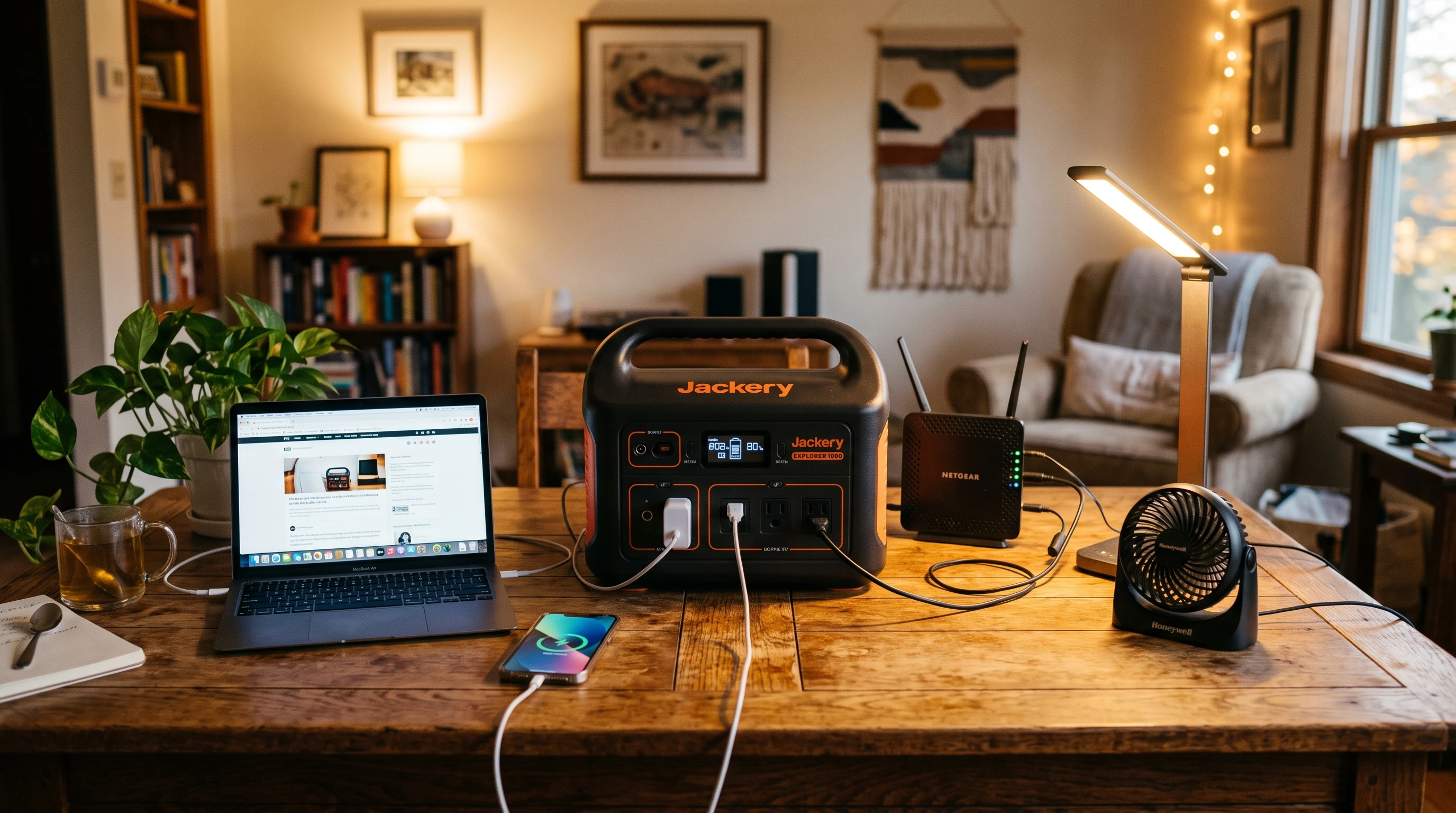
A portable power station can usually run low-power devices such as phones, tablets, laptops, routers, modems, LED lights, small fans, camera batteries, and some portable monitors, depending on the model.
Larger appliances such as refrigerators, freezers, microwaves, coffee makers, kettles, toasters, space heaters, air conditioners, and power tools may require a much larger power station or may not be suitable. Always check the continuous output, surge rating, battery capacity, device wattage, and manufacturer guidance before connecting anything.
What Decides What a Portable Power Station Can Run?
If you want to know what you can run on a portable power station, keep a few core concepts in mind:
- Battery Capacity (Watt-Hours): This shows how much energy the power station can store. A higher watt-hour rating usually supports longer runtime, but actual runtime depends on device wattage, inverter losses, battery condition, and usage.
- Continuous Output (Watts): This shows how much power the station can supply at one time. The total wattage of connected devices should stay below this rating.
- Surge or Peak Watts: Some devices, especially those with motors or compressors, may need extra power for a short time when starting. The power station must be able to handle this startup surge.
- AC vs. DC Output: Portable power stations include AC outlets (like at home), DC output (for car gear), and USB ports. Plug your device into the right format.
- Device Wattage: Find this on the device’s label or charger. Don’t guess—big appliances often use way more power than portable stations allow.
- Inverter Limits: The inverter turns stored DC power into AC and sets the ceiling for what you can power at once.
- Runtime: Even if the station can power a device, the battery may not last as long as expected. Runtime depends on power draw, battery capacity, inverter losses, temperature, and battery condition.
Common Devices a Portable Power Station Can Usually Run
Many users mainly want to power essential devices during an outage. The table below gives a general overview.
| Device | Typical Use | Notes |
|---|---|---|
| Phone | Charging | Low power, supports many charges |
| Laptop | Work, study, office | Depends on charger wattage |
| Router & Modem | Backup internet | Often useful during outages |
| LED Light | Lighting | Usually low power |
| Tablet | Entertainment or remote work | Usually low power |
| Small Fan | Cooling | Check wattage, fan size matters |
| Camera Batteries | Photography, field work | Low power |
| Portable Monitor | Remote work, entertainment | Check monitor and power station specs |
These devices are often good matches for portable power stations because they usually use less power than large appliances.
Devices That Need More Caution
Some appliances use a lot of electricity or surprising surge draws that push a power station beyond its limits. Watch out for devices like:
- Full-size refrigerators and freezers
- Microwaves
- Coffee makers and kettles
- Toasters
- Space heaters
- Hair dryers
- Power tools (circular saws, compressors, etc.)
- Air conditioners (portable, window units)
Heating appliances usually use a lot of power. Even if the station can supply the output, runtime may be very short, or overload protection may shut the unit down. Always check the actual wattage and startup surge before trying these devices.
For readers who are ready to compare options, check current portable power station models from EcoFlow here.
Can a Portable Power Station Run a Refrigerator?
Some larger portable power stations may run a refrigerator for a limited time, but this depends on the refrigerator’s running wattage, startup surge, battery capacity, inverter rating, room temperature, and how often the door is opened. Refrigerators with compressors can need extra power when starting. If the power station cannot handle that surge, it may shut down or trigger overload protection. Before using a portable power station with a refrigerator, check the refrigerator label, the power station’s continuous and surge ratings, and the manufacturer’s guidance. For more detail, see Portable Power Station Runtime Explained.
Can It Run a Router and WiFi?
Routers and modems are often good matches for portable power stations because they usually use relatively low power. Runtime still depends on the router, modem, battery capacity, inverter losses, and any other devices connected at the same time. See our ideas in How to Keep WiFi Running During a Power Outage.
Can It Run a Home Office?
If your work or studies are remote, common home office devices—laptop, portable monitor, WiFi router, phone, desk lamp—may be suitable for midrange stations. Just add up the wattages and keep them under your power station’s continuous output and within its battery size. This can help create a more realistic backup plan for work, outages, or trips. See the all-in-one guide here: What Size Portable Power Station Do You Need for a Home Office?
Can It Run Medical Devices?
Medical devices need extra caution. A portable power station should not be relied on for CPAP machines, oxygen concentrators, feeding pumps, or other medical equipment unless the device manufacturer, healthcare provider, or a qualified professional confirms that the setup is suitable. Medical devices may have specific power requirements, alarms, backup battery needs, runtime requirements, and safety instructions. The power station also needs enough battery capacity and the correct output type for the device. Before relying on a portable power station for medical use, confirm the device wattage, required runtime, alarm behavior, charging method, and backup plan. Do not test medical backup power for the first time during an outage.
For medical equipment, follow the device manufacturer’s guidance and get professional advice before relying on a portable power station as backup power.
Devices You Should Avoid or Check Carefully
Some devices may overload a portable power station, drain the battery quickly, or require a higher surge rating than expected. Check carefully before using:
- High-heat appliances such as kettles, space heaters, hair dryers, and toasters
- Devices close to or above the power station’s continuous output rating
- Damaged, old, or faulty equipment
- Appliances with unclear wattage
- Devices with motors, compressors, or high startup surge
- Medical devices without manufacturer, healthcare, or professional confirmation
If unsure, check the device label, read the manual, contact the manufacturer, or use a watt meter before connecting the device.
How to Estimate If Your Power Station Can Run a Device
Use these steps to estimate whether a portable power station can run a device:
- Check the device’s wattage label or use a watt meter.
- Look at the power station’s continuous watt rating and keep all connected devices below that limit.
- Check the surge rating if the device has a motor, compressor, or heating element.
- Compare battery capacity with the runtime you need. Battery watt-hours divided by device watts gives a rough runtime estimate before losses. Real runtime is usually lower because of inverter losses, battery condition, temperature, and other connected devices.
- Leave a buffer. Avoid running the station down to empty or operating continuously near its maximum output rating.
- Test the setup at home before relying on it during an outage or trip.
These steps can help reduce overload risk, unexpected shutdowns, and unrealistic runtime expectations.
Related Guides
- Portable Power Station Runtime Explained
- What Size Portable Power Station Do You Need for a Home Office?
- How to Keep WiFi Running During a Power Outage
- Portable Power Station Maintenance Checklist
- How to Store a Portable Power Station Safely at Home
- Can You Leave a Portable Power Station Plugged In?
- Best Portable Power Stations for Storm Preparedness
Frequently Asked Questions
Can a portable power station run a refrigerator?
Some larger portable power stations may run a refrigerator for a limited time, but it depends on the refrigerator’s running wattage, startup surge, battery capacity, inverter rating, and usage. Always check both manuals before connecting.
Can a portable power station run a TV?
Many LED TVs can run from a suitable portable power station, but it depends on the TV wattage and the power station’s output rating. Check the TV label and power station specifications before use.
Can a portable power station run WiFi?
A portable power station can often run a router and modem because they usually use relatively low power. Runtime depends on the battery capacity, device wattage, inverter losses, and what else is connected.
Can a portable power station run a laptop?
Yes, many portable power stations can run or charge a laptop, as long as the laptop charger stays within the station’s output rating. Runtime depends on the laptop wattage and battery capacity.
Can a portable power station run a microwave?
Only some high-output portable power stations may run a microwave, and usually for a limited time. Microwaves can use a lot of power, so check continuous output, surge rating, and the microwave label before use.
Can a portable power station run a heater?
Space heaters usually use a lot of power and can drain a portable power station quickly. Many portable power stations are not suitable for heaters, so check the output rating and manufacturer guidance carefully.
Can you plug anything into a portable power station?
No. Only plug in devices that stay within the power station’s output and surge ratings. Avoid damaged equipment, unknown wattage devices, and appliances that exceed the manufacturer’s limits.
How do you know if a device is too powerful for a portable power station?
Check the device wattage and compare it with the power station’s continuous output and surge rating. If the device is above those limits, close to the limit, or unclear, do not connect it until you confirm the requirements.
Bottom Line
Portable power stations are often useful for running phones, laptops, routers, modems, LED lights, tablets, camera batteries, and other lower-power devices. Larger appliances such as refrigerators, microwaves, heaters, air conditioners, and power tools need more caution because they may require higher output, higher surge capacity, and more battery capacity. Before plugging in any device, check the device wattage, continuous output rating, surge rating, battery capacity, and manufacturer guidance. Testing the setup before an outage can help avoid overloads, unexpected shutdowns, and unrealistic runtime expectations.